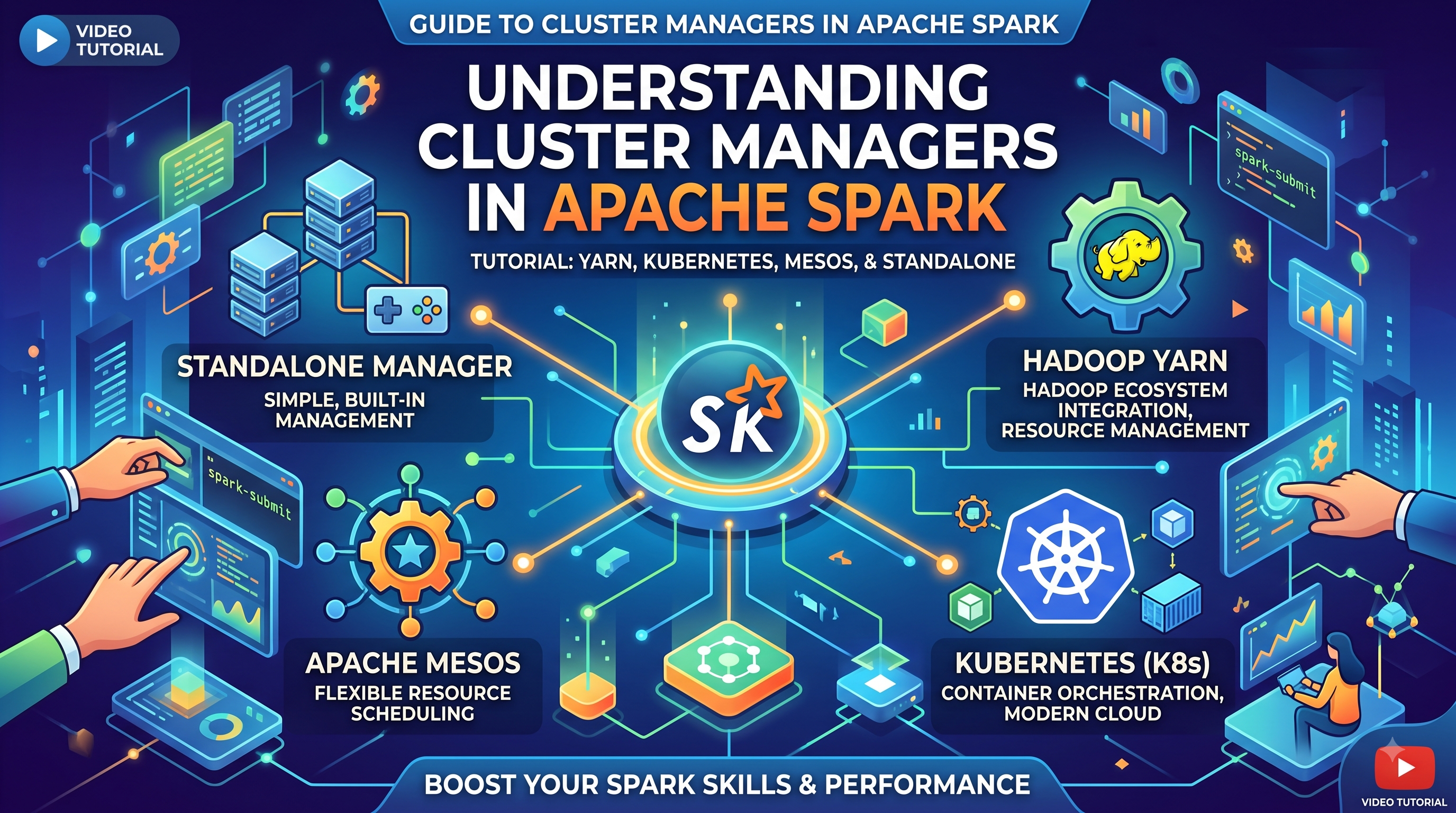
Spark can process data across dozens or thousands of machines—but before any Executor can run your tasks, Spark needs a way to acquire and manage those resources. That is the job of a Cluster Manager.
Introduction
In the previous tutorials, we learned what Apache Spark is, why Spark can be faster than Hadoop MapReduce, and how Spark applications are structured around components such as the Driver, Executors, Jobs, Stages, and Tasks.
But there is an important question:
Who actually provides the machines and resources required to run Spark Executors?
The answer is the Cluster Manager.
A Cluster Manager is responsible for allocating computing resources to Spark applications. When you submit a Spark application, the Driver communicates with the Cluster Manager to request resources, and the Cluster Manager launches Executors on available worker machines.
Understanding this concept is essential when working with platforms such as Databricks, Hadoop YARN, Kubernetes, or standalone Spark clusters.
APACHE SPARK LEARNING PATH
┌──────────────────────────────────────────────┐│ APACHE SPARK LEARNING PATH ││ ││ ✓ 1. What is Apache Spark? ││ ✓ 2. Why Spark is Faster than Hadoop ││ ✓ 3. Spark Architecture ││ ✓ 4. Driver vs Executor ││ → 5. Cluster Managers ││ ○ 6. RDD vs DataFrame vs Dataset ││ ○ 7. SparkSession Explained ││ ○ 8. Lazy Evaluation ││ ○ 9. DAG in Spark ││ ○ 10. Stages and Tasks ││ ││ [View Complete Apache Spark Learning Path →] │└──────────────────────────────────────────────┘
What Is a Cluster Manager?
A Cluster Manager is the component responsible for managing computing resources across a cluster.
These resources include:
- CPU cores
- Memory
- Worker machines
- Executor processes
When a Spark application starts, it needs resources to execute tasks.
For example:
Spark Application │ ▼Request Resources │ ▼Cluster Manager │ ├── Worker 1 ├── Worker 2 ├── Worker 3 └── Worker 4
The Cluster Manager determines where resources are available and allocates them to the Spark application.
Why Does Spark Need a Cluster Manager?
Imagine that your company has a cluster containing 100 machines.
Multiple teams are running different workloads:
Data Engineering Team │ ├── ETL PipelineData Science Team │ ├── Machine Learning TrainingAnalytics Team │ ├── SQL QueriesStreaming Team │ └── Real-Time Pipeline
All these workloads require:
- CPU
- Memory
- Machines
If every application tried to use resources independently, the cluster would quickly become difficult to manage.
A Cluster Manager helps coordinate resource allocation.
Conceptually:
                    Cluster Manager
                           │
          ┌────────────────┼────────────────┐
          │                │                │
          ▼                ▼                ▼
       Spark App 1      Spark App 2      Spark App 3
          │                │                │
          ▼                ▼                ▼
       Resources        Resources        Resources
This allows multiple applications to share the same infrastructure.
Where Does the Cluster Manager Fit in Spark Architecture?
Let’s look at the high-level architecture.
                    Spark Application
                           │
                           ▼
                         Driver
                           │
                  Requests Resources
                           │
                           ▼
                    Cluster Manager
                           │
            ┌──────────────┼──────────────┐
            ▼              ▼              ▼
         Worker 1       Worker 2       Worker 3
            │              │              │
            ▼              ▼              ▼
        Executor        Executor       Executor
            │              │              │
            └──────────────┼──────────────┘
                           ▼
                         Tasks
The general flow is:
- You submit a Spark application.
- The Driver starts.
- The Driver requests resources.
- The Cluster Manager allocates available resources.
- Executors are launched on worker machines.
- The Driver sends tasks to the Executors.
- Executors process data and return results or status information.
The Cluster Manager Does Not Execute Your Spark Code
This distinction is important.
A Cluster Manager is not responsible for executing your DataFrame transformations or SQL queries.
For example:
df.filter(df.amount > 1000).groupBy("customer_id").count()
The Cluster Manager does not process this transformation.
Instead:
Cluster Manager │ └── Allocates Resources │ ▼ Executors │ ▼ Execute Tasks
The main responsibilities are different.
| Component | Primary Responsibility |
|---|---|
| Driver | Coordinates the Spark application |
| Cluster Manager | Allocates cluster resources |
| Executor | Executes tasks |
| Task | Smallest unit of execution |
This is a common Spark interview question.
Does the Cluster Manager execute Spark tasks?
No. Executors execute tasks. The Cluster Manager is responsible for resource allocation and management.
Types of Cluster Managers Supported by Spark
Apache Spark can work with multiple cluster managers.
The major ones are:
- Standalone Cluster Manager
- Hadoop YARN
- Kubernetes
- Cloud-managed platforms such as Databricks
Let’s understand each one.
1. Spark Standalone Cluster Manager
Spark includes its own built-in cluster manager.
A standalone cluster typically contains:
                Spark Master
                     │
         ┌───────────┼───────────┐
         │           │           │
         ▼           ▼           ▼
      Worker 1    Worker 2    Worker 3
         │           │           │
      Executors   Executors   Executors
The Master manages the available workers and resources.
You might run a Spark application using:
spark-submit \ --master spark://master-host:7077 \ my_application.py
The standalone cluster manager is relatively simple and useful for:
- Learning Spark
- Development environments
- Smaller dedicated Spark clusters
However, large enterprise environments often use more sophisticated resource managers.
2. Hadoop YARN
YARN stands for:
Yet Another Resource Negotiator
YARN is a resource management system commonly associated with the Hadoop ecosystem.
Spark can run on YARN.
The architecture looks conceptually like this:
                 Spark Driver
                       │
                       ▼
                 YARN Resource
                    Manager
                       │
          ┌────────────┼────────────┐
          ▼            ▼            ▼
       Node 1       Node 2       Node 3
          │            │            │
       Executor      Executor     Executor
YARN manages resources across applications.
This means the same infrastructure may support multiple workloads, such as:
- Spark
- Hadoop MapReduce
- Other distributed applications
A Spark application can request resources from YARN instead of managing the machines directly.
3. Kubernetes
Spark can also run on Kubernetes.
In this model, Spark components run as containers.
Conceptually:
                 Kubernetes Cluster
                         │
                         ▼
                  Spark Application
                         │
              ┌──────────┴──────────┐
              ▼                     ▼
         Driver Pod             Executor Pods
                                      │
                         ┌────────────┼───────────┐
                         ▼            ▼           ▼
                    Executor      Executor    Executor
                      Pod           Pod         Pod
Kubernetes is responsible for scheduling and managing the containers.
When Spark needs Executors, Kubernetes can create Executor Pods.
This approach is particularly useful for organizations already using container-based infrastructure.
4. Databricks and Managed Spark Environments
When working with Databricks, you usually don’t manually interact with a low-level Cluster Manager in the same way you might with a self-managed Spark cluster.
Instead, the platform manages much of the underlying infrastructure.
Conceptually:
                 Databricks Platform
                          │
                          ▼
                  Cluster Provisioning
                          │
              ┌───────────┴───────────┐
              ▼                       ▼
            Driver                 Workers
              │                       │
              │                  Executors
              │                       │
              └───────────┬───────────┘
                          ▼
                       Spark Jobs
Databricks handles much of the complexity around:
- Cluster provisioning
- Cloud infrastructure
- Autoscaling
- Instance management
- Cluster lifecycle
This allows Data Engineers to focus more on data pipelines and Spark workloads rather than manually managing worker machines.
💡 Going Deeper: Driver vs Cluster Manager
The Driver and Cluster Manager are often confused.
The Driver:
- Creates execution plans
- Coordinates jobs
- Schedules tasks
- Communicates with Executors
The Cluster Manager:
- Provides computing resources
- Allocates workers
- Launches Executor processes or containers
Think of it this way:
Driver:"I need 10 Executors." │ ▼Cluster Manager:"These resources are available. I will allocate them." │ ▼Executors:"We will execute the tasks."
The Driver manages the application execution.
The Cluster Manager manages the computing resources.
How a Spark Application Requests Resources
Let’s walk through a simplified execution flow.
Suppose you run:
spark-submit my_etl_pipeline.py
The following happens conceptually.
Step 1: The Driver Starts
spark-submit │ ▼ Driver
The Driver initializes the Spark application.
Step 2: The Driver Requests Resources
The application requires Executors.
The Driver communicates with the Cluster Manager:
Driver │ │ Request Executors ▼Cluster Manager
The request may include resource requirements such as:
- Number of Executors
- Executor memory
- Executor cores
For example:
10 Executors4 CPU cores per Executor16 GB memory per Executor
Step 3: Resources Are Allocated
The Cluster Manager checks available resources.
Cluster│├── Worker 1 → Available├── Worker 2 → Available├── Worker 3 → Busy└── Worker 4 → Available
It then allocates resources based on availability and configuration.
Step 4: Executors Start
Executors are launched on the allocated machines.
                Driver
                   │
        ┌──────────┼──────────┐
        ▼          ▼          ▼
    Executor    Executor    Executor
The Executors register with the Spark application.
Step 5: Tasks Are Sent to Executors
Once resources are available, the Driver can schedule tasks.
Driver │ ├── Task 1 → Executor 1 ├── Task 2 → Executor 2 ├── Task 3 → Executor 3 └── Task 4 → Executor 1
The Executors process their assigned partitions.
Static vs Dynamic Resource Allocation
A Spark application does not always need the same number of Executors throughout its execution.
Consider an ETL pipeline:
Read Data ↓Small Transformation ↓Large Join ↓Aggregation ↓Write
The large join may require significantly more resources than the smaller transformation.
With static allocation, you might configure:
20 Executors
and keep them allocated throughout the job.
With dynamic allocation, the number of Executors can change based on workload requirements and platform configuration.
Conceptually:
Low Workload5 ExecutorsHigh Workload20 ExecutorsWorkload Finished5 Executors
This can improve resource utilization in shared environments.
⚡ Performance Tip: More Executors Does Not Always Mean Faster Spark
A common mistake is assuming:
More Executors = Faster Job
Not always.
Increasing resources can sometimes introduce:
- Additional scheduling overhead
- More shuffle overhead
- Network pressure
- Inefficient resource utilization
For example:
Bad configuration:100 ExecutorsEach processing very little data
This can be less efficient than:
Better configuration:Appropriate number of ExecutorsAppropriate partition sizesBalanced workload
Spark performance depends on multiple factors:
- Dataset size
- Partitioning
- Data skew
- Shuffle operations
- Executor memory
- CPU cores
- Cluster configuration
Cluster sizing should therefore be based on workload characteristics rather than simply choosing the largest available cluster.
What Happens If Resources Are Not Available?
Suppose your application requests:
20 Executors
but the cluster only has enough free resources for:
10 Executors
The behavior depends on the Cluster Manager, Spark configuration, and environment.
Conceptually:
Requested: 20 ExecutorsAvailable: 10 Executors
The application may:
- Start with available resources where supported
- Wait for resources
- Remain queued until resources become available
- Fail if resource constraints or platform limits are exceeded
This is one reason resource management is important in shared environments.
Cluster Manager vs Worker Node
Another common source of confusion is the difference between a Cluster Manager and a Worker.
A Cluster Manager manages resources.
A Worker Node provides computing resources.
                 Cluster Manager
                        │
          ┌─────────────┼─────────────┐
          ▼             ▼             ▼
       Worker 1      Worker 2      Worker 3
          │             │             │
          ▼             ▼             ▼
       Executor      Executor      Executor
Think of the Worker as the machine providing:
- CPU
- Memory
- Storage
The Cluster Manager decides how those resources should be allocated.
A Real-World ETL Example
Imagine you have a Databricks ETL pipeline processing:
5 TB of transaction data
The pipeline performs:
Read Data ↓Filter Invalid Records ↓Join Customer Data ↓Aggregate Revenue ↓Write Delta Table
The Spark application needs multiple workers.
The process looks like:
                    ETL Job
                       │
                       ▼
                     Driver
                       │
              Request Resources
                       │
                       ▼
                Cluster Manager
                       │
          ┌────────────┼────────────┐
          ▼            ▼            ▼
       Worker 1     Worker 2     Worker 3
          │            │            │
       Executor      Executor     Executor
          │            │            │
          └────────────┼────────────┘
                       ▼
                  Process Data
If the workload grows, the platform may allocate additional resources depending on the environment and autoscaling configuration.
Common Interview Questions
1. What is a Cluster Manager in Spark?
A Cluster Manager is responsible for managing and allocating computing resources for Spark applications. It provides resources such as CPU and memory and launches Executors on worker nodes.
2. Does the Cluster Manager execute Spark tasks?
No.
The Cluster Manager allocates resources.
The Executors execute Spark tasks.
3. What are the main Cluster Managers supported by Spark?
Common options include:
- Spark Standalone
- Hadoop YARN
- Kubernetes
Managed platforms such as Databricks handle much of the underlying cluster and infrastructure management for you.
4. What is the difference between Driver and Cluster Manager?
The Driver coordinates the Spark application’s execution.
The Cluster Manager allocates the computing resources required by the application.
5. What happens when a Spark application starts?
A simplified flow is:
Submit Application ↓Driver Starts ↓Driver Requests Resources ↓Cluster Manager Allocates Resources ↓Executors Start ↓Driver Schedules Tasks ↓Executors Execute Tasks
Common Misconceptions
Misconception 1: Cluster Manager and Driver are the same
They have different responsibilities.
Driver → Coordinates executionCluster Manager → Allocates resources
Misconception 2: Cluster Manager executes the tasks
Executors execute tasks.
Misconception 3: One Worker means one Executor
Not necessarily.
The relationship between workers, executors, and allocated resources depends on the cluster manager and deployment configuration.
Misconception 4: More resources always make Spark faster
Spark jobs can still be slow because of:
- Data skew
- Shuffle
- Poor partitioning
- Inefficient joins
- Small files
- Inefficient code
Adding more machines doesn’t automatically solve these problems.
Key Takeaways
A Cluster Manager is responsible for providing the resources required to run Spark applications.
The basic relationship is:
Driver │ │ Requests Resources ▼Cluster Manager │ │ Allocates Resources ▼Workers │ ▼Executors │ ▼Tasks
The most important distinction to remember is:
The Driver coordinates the application. The Cluster Manager provides the resources. Executors perform the computation.
Understanding this relationship is essential when working with large Spark clusters and platforms such as Databricks, YARN, and Kubernetes.
Continue Learning Apache Spark
You now understand how Spark applications obtain and manage computing resources across a cluster.
Recommended next steps:
1. RDD vs DataFrame vs Dataset
Learn how Spark’s core data abstractions differ and why DataFrames are the preferred choice for most modern Spark applications.
2. SparkSession Explained
Understand how a Spark application is initialized and how your code connects to the Spark execution engine.
3. Lazy Evaluation in Spark
Learn why Spark does not immediately execute your transformations and how this enables optimization.
[View Complete Apache Spark Learning Path →]
Next Step: RDD vs DataFrame vs Dataset
You now understand how Spark gets the computing resources needed to run your applications.
But another important question remains:
What exactly are you processing with Spark?
Spark provides multiple abstractions for working with distributed data:
- RDD
- DataFrame
- Dataset
In the next tutorial, we’ll explore how these abstractions differ, how they evolved, and why DataFrames are the default choice for most modern PySpark applications.
[Continue to RDD vs DataFrame vs Dataset →]
8 thoughts on “Cluster Managers in Apache Spark: How Spark Gets and Manages Computing Resources”